LayoutGuard - Godot UI Resolution Testing Plugin
A downloadable tool
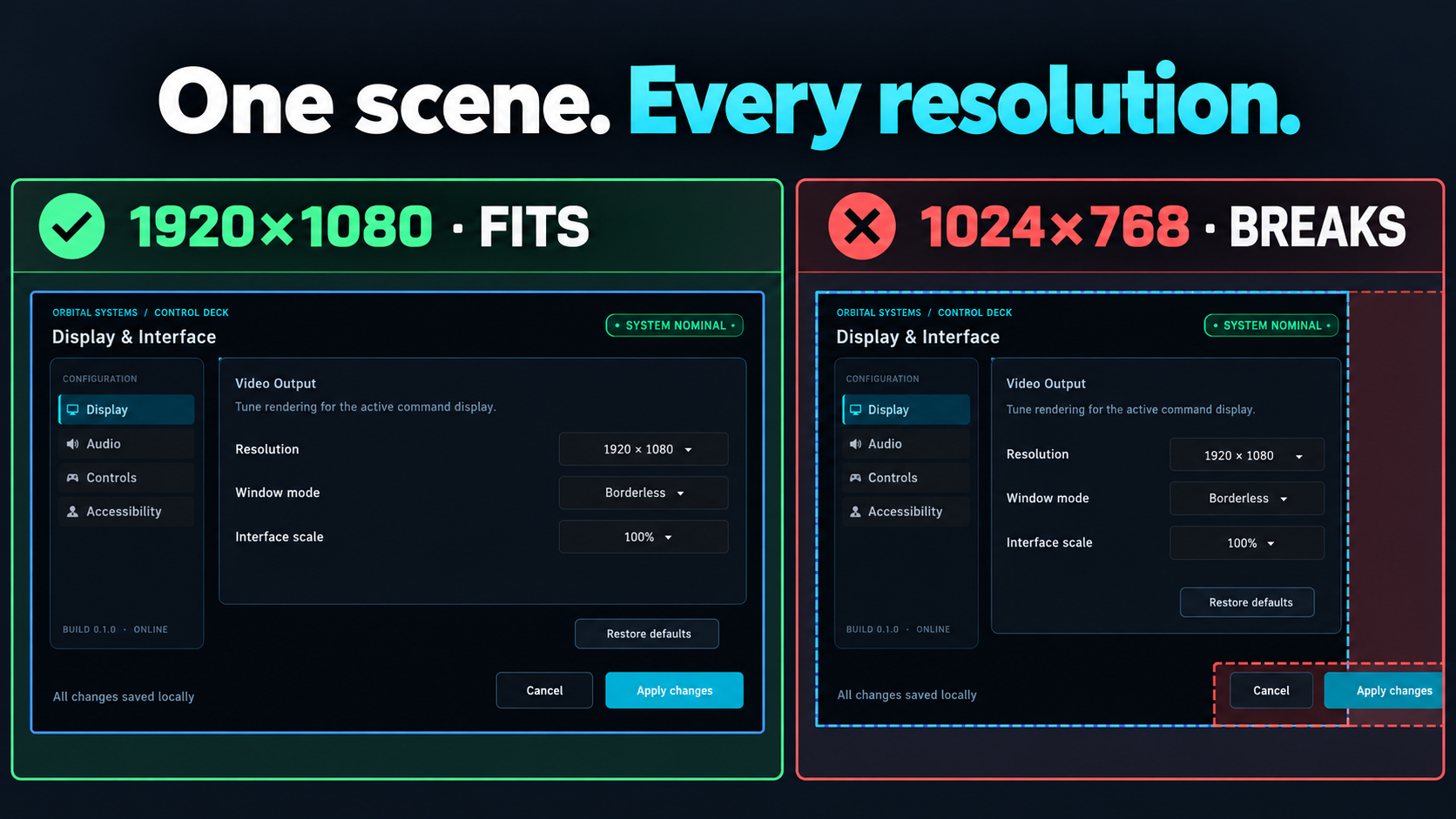
LayoutGuard checks saved Godot UI scenes at multiple viewport sizes and reports the Control nodes that no longer fit.
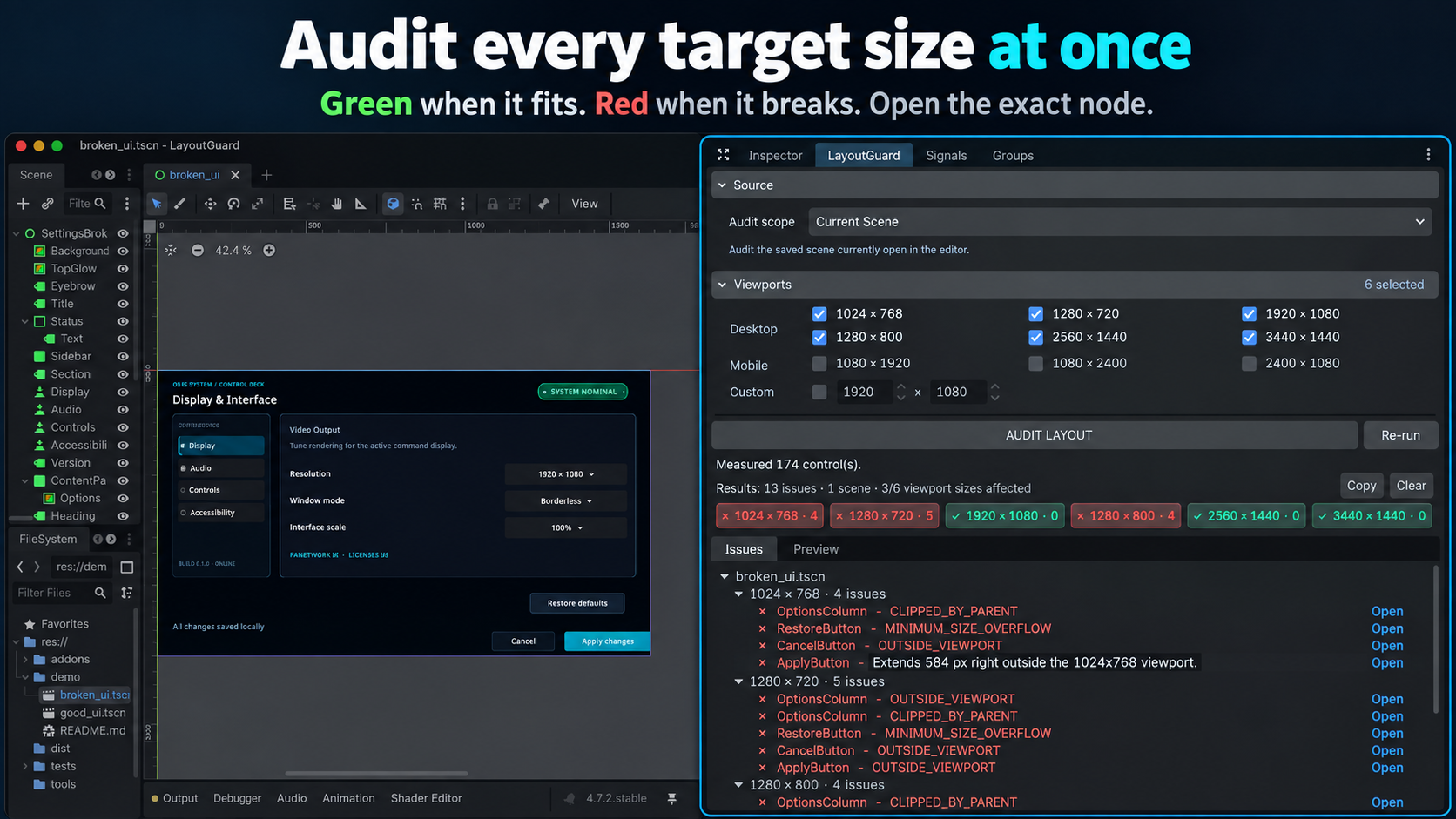
You can audit the current scene, a folder, or the whole project. Results are grouped by scene and viewport, with the measurements behind each finding. Open an issue to jump directly to the affected node.
What it reports
- Controls outside the viewport.
- Controls clipped by a parent.
- Controls whose layout slot is smaller than their minimum size.
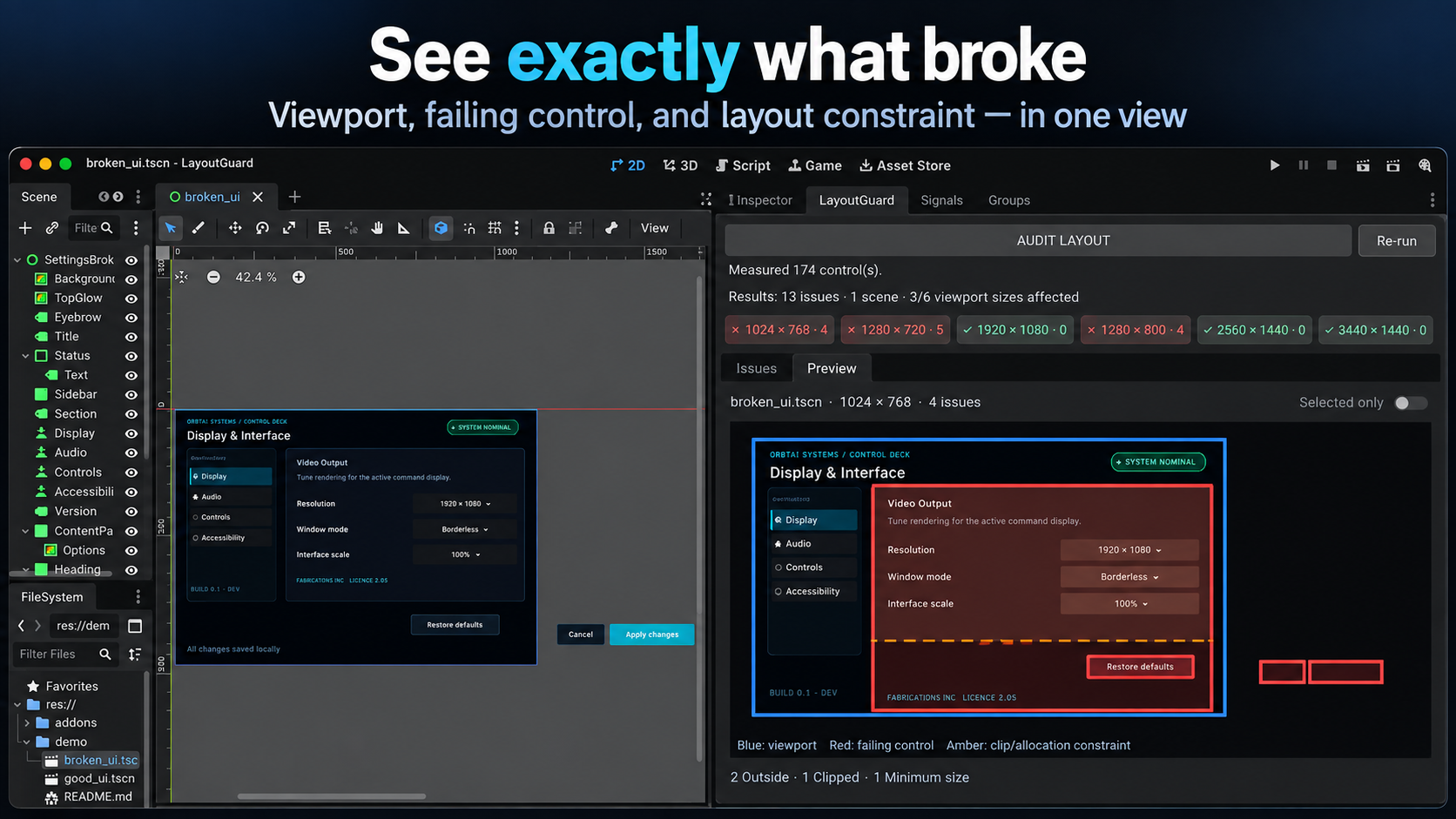
The report shows the node path, viewport and relevant measurements, so you can check the result instead of treating every warning as correct.
Using it in the editor
Open a saved UI scene, choose the viewport sizes and press AUDIT LAYOUT. Six desktop presets are enabled by default. Mobile presets and custom sizes are available when you need them.
Select a result to inspect its measurements or preview the failed layout. Double-click it, or use Open, to open the scene and select the node.
Installation
- Copy
addons/layout_guardinto your Godot project. - Open Project Settings → Plugins.
- Enable LayoutGuard.
Headless CLI and CI
The same audit rules are available from the command line and can output JSON:
godot --headless --path /path/to/project \
  --script res://addons/layout_guard/cli/layout_guard_cli.gd -- \
  --source project --viewports 1024x768,1280x720,1920x1080 --format json
Exit code 0 means the audit completed with no issues, 1 means issues were found, and 2 means the audit could not complete.
JSON reports include stable fingerprints. Use a baseline report to separate new, fixed and unchanged findings between runs.
Scope and limitations
- LayoutGuard reads saved scenes from disk, so save your changes before running an audit.
- ScrollContainer descendants are skipped because their content is expected to overflow.
- Runtime-generated UI and scripted minimum-size behaviour are outside the audit.
- LayoutGuard reports problems; it does not modify or automatically fix layouts.
Safety
Audits run on disposable scene clones and never write to your scene files. LayoutGuard has no network access, telemetry, accounts, API keys or external services.
Compatibility
Tested on Godot 4.6.stable and 4.7.2.stable.
Licence
LayoutGuard is free to download and payment is optional. Everyone receives the same perpetual licence for one individual or one company/entity, whether they contribute or not. You may use and modify LayoutGuard internally in unlimited commercial and non-commercial projects. Attribution is not required.
You may not redistribute, resell, sublicense, publish or share the plugin or its source code. Free to download does not mean free to pass on: point people to this page so they get their own copy. It may not be included in asset packs, templates, starter kits, plugin bundles, SDKs, public repositories or other products that expose it as a reusable development tool.
Employees and contractors may use it only for projects owned or controlled by the licensed company/entity. The full licence terms are included in the download.
Support: support@vanquyt.com
Download
Click download now to get access to the following files:
Leave a comment
Log in with itch.io to leave a comment.